In-text links
Approved mentions become regular links in your article, with your Associates tag. Google reads them like the rest of the text.

AdRem
AdRem reads your articles, finds the products you mention and turns them into Amazon links with your Associates tag: across your whole archive, even on posts from years ago, and as a product card where a product needs to stand out.
Who it’s for: Bloggers and publishers in the Amazon affiliate programme, in Italy and abroad.
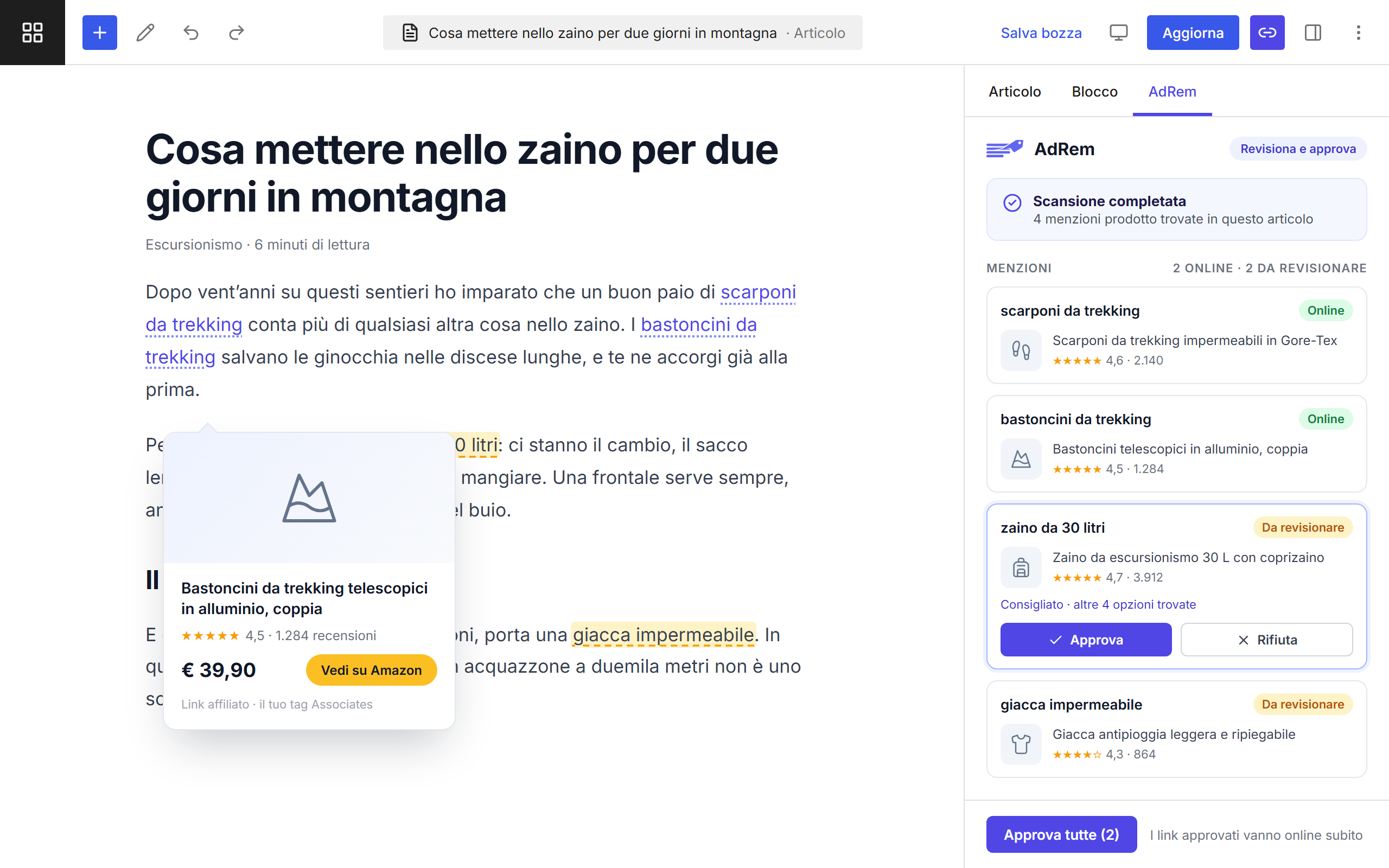
Approved mentions become regular links in your article, with your Associates tag. Google reads them like the rest of the text.
Image, price, rating and button in four layouts: box, vertical card, compact list and comparison table.
It also works on posts published years ago: the text you have already written starts to earn.
Automatic mode or link-by-link approval, with allowed or blocked brands and minimum star and review thresholds.
AdRem reads the page, not the reader: nothing to add to your consent banner.
Links carry your Amazon Associates tag: Amazon pays you, and AdRem keeps nothing.
Views, clicks and click-through rate of your links, plus control over how they look in the text: blended into the words or clearly visible.
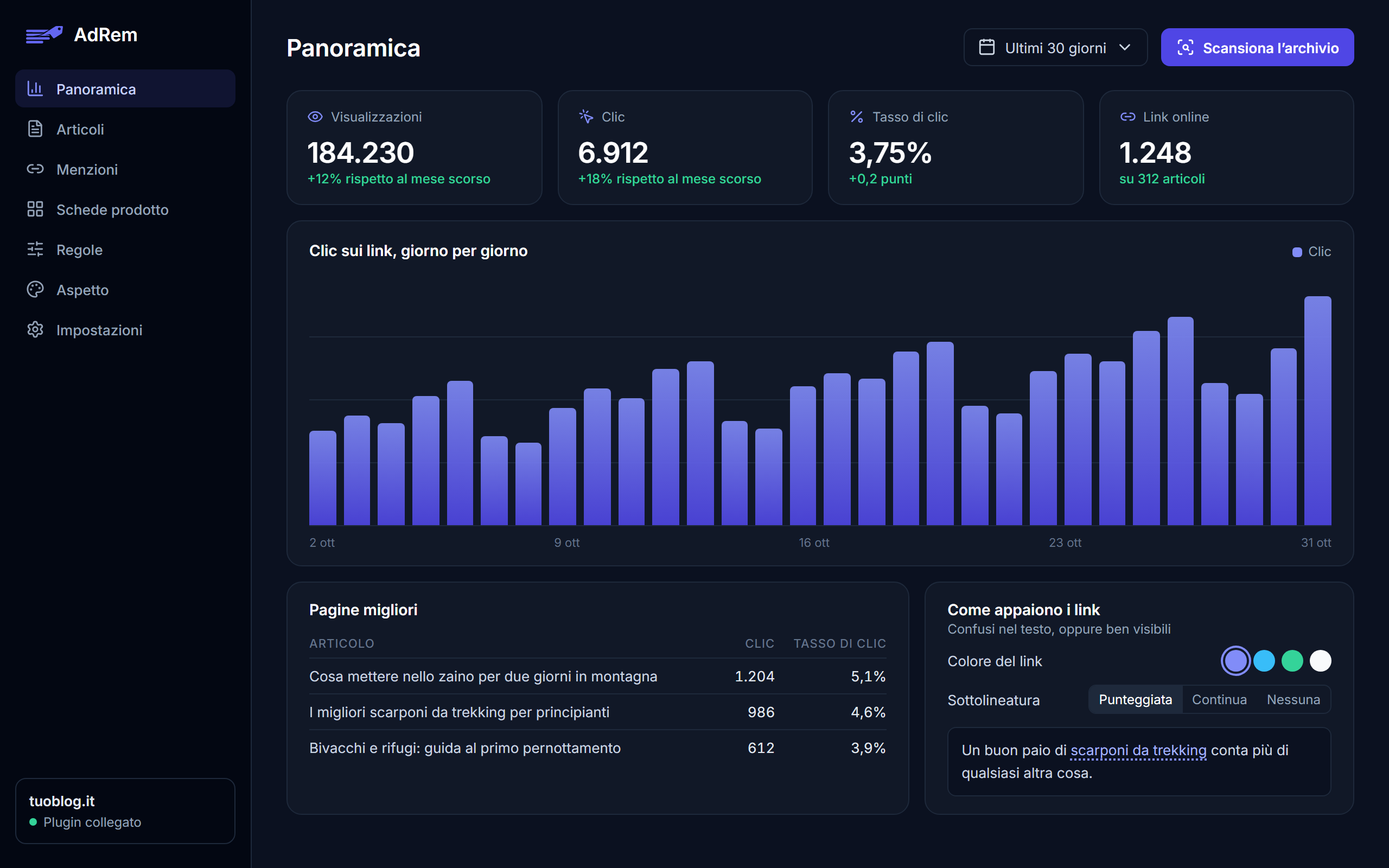
AdRem has already found and matched your products: adding a card means picking an approved one, not searching for an ASIN.
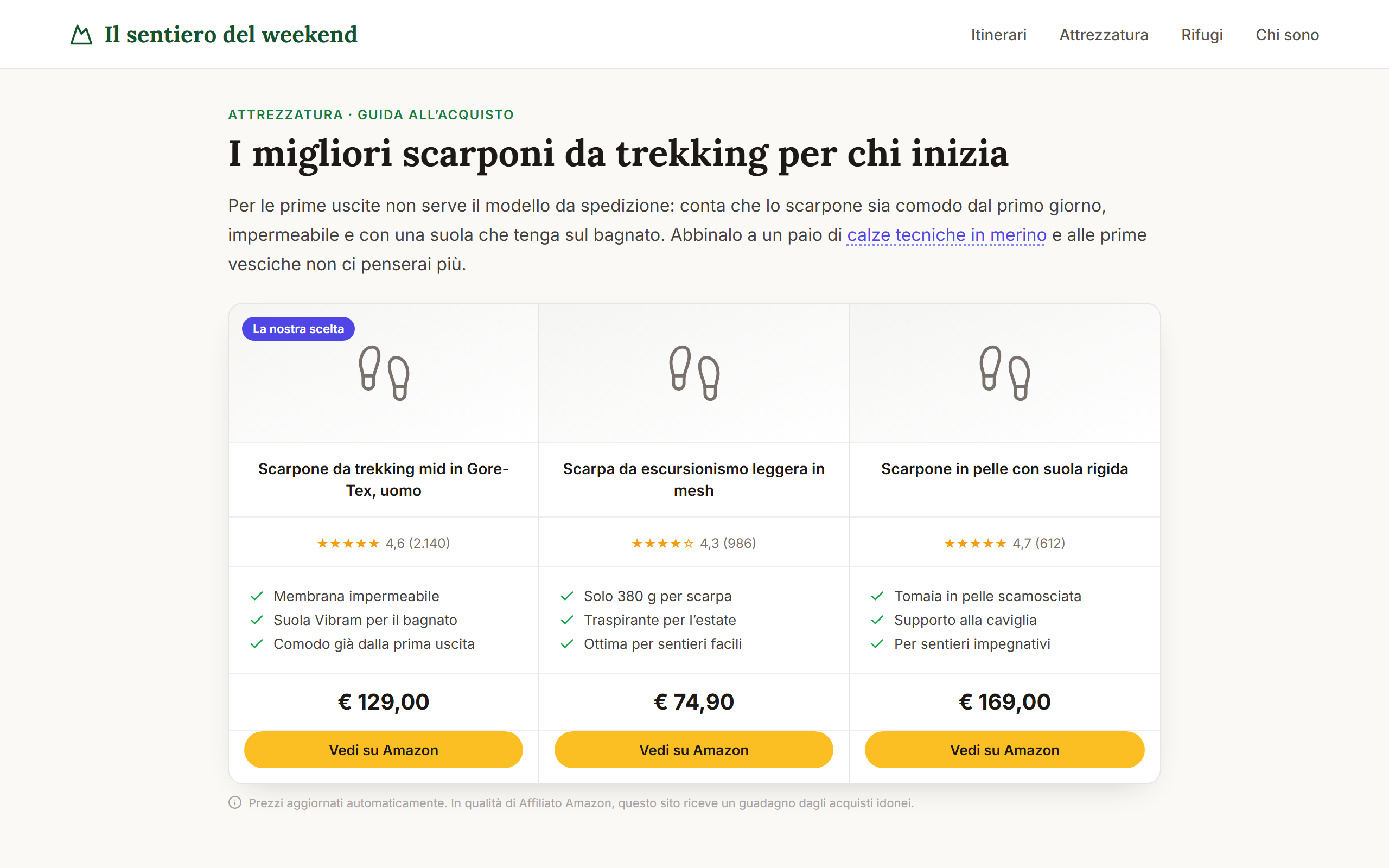
Install the plugin and paste the API key from the AdRem dashboard. No changes to your theme.
AdRem shows every product mention it finds and the product matched to each one. You approve the ones you want.
Approved mentions become regular links with your Associates tag. If you deactivate the plugin, your posts go back to how you wrote them.

The app that connects mayors and citizens in a simple, immediate and transparent way, with push notifications and reports.
Discover the productE-invoicing with native SDI integration and a multi-user infrastructure for outgoing and incoming invoices.
Discover the productE-learning platform integrated with Moodle, with integrations with business systems that automate users, courses and enrolments.
Discover the productDigital school meals and school transport: an app for families and a back office for the local authority, with pagoPA payments.
Discover the productWrite to us for a demo or a quote: we’ll show you AdRem in action and answer all your questions.